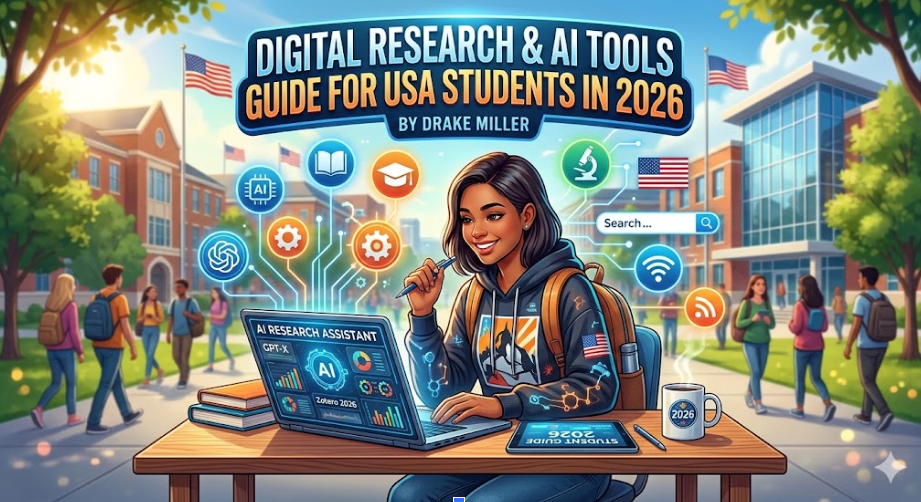
Digital Research & AI Tools Guide For USA Students in 2026

By Drake Miller
In the modern American classroom—stretching from high schools in New York to the prestigious universities of California—the classic image of a student buried under a mountain of physical library books is becoming a relic of the past. Having spent years mentoring students through the rigors of the US curriculum, I’ve seen firsthand how the mechanical process of academic writing has undergone a massive digital transformation.
For students today, the primary challenge isn’t a lack of information; it’s the paralysis of choice caused by an overwhelming volume of data. Writing a high-scoring academic paper in 2026 requires a sophisticated blend of traditional logic and the mastery of cutting-edge digital research tools. Whether you are tackling an AP Research paper or a Master’s dissertation, here is my expert breakdown of how digital advancements are helping USA students elevate their writing.
1. Streamlining Information Discovery: Beyond the Basic Search
The journey of a high-scoring essay begins with a single query. In my experience, students often start with a basic Google search, which is a mistake for academic rigor. To reach “A-grade” status, you must move into specialized databases.
Tools like Google Scholar, JSTOR, ERIC, and ResearchGate allow students to bypass the “noise” of the general internet. For history students specifically, mastering specialized formats is key; learning how to write a DBQ essay using these digital archives can be the difference between a 3 and a 5 on an AP exam.
See also: Technology and Entrepreneurship
2. Organization and the “Digital Brain”
One of the biggest hurdles I see in complex academic writing is “source fatigue”—the moment a student loses track of where a specific quote or statistic originated. This confusion often leads to unintentional plagiarism or weakened arguments.
Digital citation tools like Zotero, Mendeley, and EndNote have become the “digital brains” for modern students. These platforms allow you to:
- Save PDFs and web snapshots with a single click.
- Annotate and highlight text directly within the app.
- Organize sources into thematic folders.
When it comes time to draft, these tools automatically generate bibliographies in MLA, APA, or Chicago styles. This automation allows you to focus 90% of your energy on developing a unique thesis and only 10% on the punctuation of a Works Cited page.
3. Navigating Professional Academic Support
Sometimes, even the best digital tools cannot bridge the gap between a “good” paper and an “exceptional” one. As an educator, I’ve seen the digital landscape in the USA see a surge in academic support services designed to mentor students through high-pressure deadlines.
When a student finds themselves stuck on a grueling, statistics-heavy research paper or a complex legal analysis, seeking professional essay help is becoming a common way for students to deconstruct expert-level work. Many learners also explore essay writing services at Myassignmenthelp.com to better understand complex structures, research methods, and academic formatting while completing challenging assignments. By viewing these services as a “learning supplement,” students can study the structure and formatting of a professionally drafted paper to improve their own future submissions.
Drake’s Note: Using expert guidance is about modeling excellence. It’s the digital equivalent of hiring a writing coach to help you understand the nuances of a high-scoring rubric.
4. The Shift to Collaborative Peer Review
In the USA’s educational system, collaborative projects are a staple of the curriculum. Digital tools like Google Docs, Microsoft Teams, and Notion have transformed writing from a solitary act into a collaborative evolution.
Cloud-based editing allows for real-time feedback loops. Features like “Suggesting Mode” and “Version History” are vital; they allow a teacher in Chicago to provide live commentary to a student working at home, or a peer-review group to debate the merits of a thesis statement simultaneously. This iterative process is crucial for high school students learning to refine their “academic voice.”
5. Overcoming “Writer’s Block” with Visual Mapping
Starting a 2,000-word paper is often the most intimidating part. In 2026, I recommend my students use Mind-Mapping software (like MindMeister or Lucidchart) to visualize their arguments before writing a single sentence.
By connecting research points visually, you can identify “logic gaps” early. For example, if you see your “Environmental Impact” bubble is twice as large as your “Economic Impact” bubble, you know you need to find more sources for the latter to maintain a balanced paper.
6. Ensuring Academic Integrity in the Age of AI
Academic integrity is the cornerstone of the American education system, and in 2026, the stakes have never been higher. With the rise of Generative AI, the risk of “AI-hallucination” (where AI makes up fake facts) has increased.
The Safety Net: Plagiarism and Grammar Checkers
Sophisticated tools like Turnitin, Copyscape, and Grammarly act as a final safety net. These tools do more than just catch typos; they analyze tone, clarity, and engagement. For a student whose first language may not be English, these tools provide actionable insights that improve writing skills over time, rather than just “fixing” the errors.
7. Data Visualization: Making an Impact
A great academic paper in 2026 often requires more than just text; it requires visual evidence. Digital tools like Canva, Tableau, and advanced Excel allow students to create professional-grade charts and infographics. For students in STEM or Social Sciences, being able to visualize a trend makes an argument significantly more persuasive. It proves to the grader that the student hasn’t just read the data, but has synthesized it.
8. Ethics: The “Human-AI” Co-pilot Model
The key for USA students is to use these tools as a scaffold, not a crutch. In 2026, the most successful students are those who use AI for:
- Summarizing long papers to see if they are relevant.
- Generating outlines to structure their thoughts.
- Checking for counter-arguments to strengthen their thesis.
However, the “Human Element”—the unique perspective, the personal voice, and the moral judgment—must remain the student’s own.
Summary of Essential Digital Tools (2026)
| Category | Recommended Tools | Primary Benefit |
| Research | Google Scholar, JSTOR | Access to peer-reviewed evidence. |
| Organization | Zotero, Mendeley | Managing citations and PDFs. |
| Drafting | Grammarly, Hemingway | Improving clarity and tone. |
| Expert Help | MyAssignmentHelp | Understanding complex rubrics. |
Frequently Asked Questions
Q.1 Are digital research tools considered “cheating” by US universities?
No, as long as they are used as a scaffold, not a replacement for original thought. Tools like Zotero for citations or Google Scholar for finding sources are encouraged. However, using AI to generate the actual prose of your paper without disclosure often violates “Academic Integrity” policies.
Q.2 Which citation style is most common for USA students?
Most American high schools and humanities-based college courses use MLA style. Social Sciences (Psychology, Sociology) typically require APA style.
Q.3 Can digital tools help with “AI detection” issues?
Yes. Many students use Version History in Google Docs to provide a digital paper trail, proving their work evolved through human effort rather than a single AI prompt.
Q.4 When should I seek professional academic help vs. using a digital tool?
Digital tools are perfect for organization. However, if you are struggling with a complex conceptual argument or a deadline that threatens your GPA, professional mentorship services provide the personalized, human guidance that software cannot